Saturday, May 26, 2012

New web app features

Let's face it - it has been a while since I showed the My Writing Spot web app some love. I've been busy with the very popular apps for iPhone and iPad, and with porting the app so that it is available on Android devices such as the Kindle Fire and the Nook. All through this, the web app has remained fast and stable, even though it now supports thousands of users daily.

Well, I'm pleased to say that I have taken some time over the past few weeks to add a few nice new features to the My Writing Spot web app. There's nothing earth-shattering here, but these are some things that you've asked for, and that should make the web app that much more useful to us all.

  • There is a new Download All button in the toolbar. Clicking on this button will bundle up all your documents into a ZIP-compressed file, and download that ZIP file to your local computer. There is still the option to download a single document, but the Download All feature makes backing up your work to your local computer a snap. Or should I say a click?
  • The Email Document feature now emails your document as an attachment instead of as the body of the email. The document is attached as a plain text file, which should be able to be opened by most any word processor or text editor in existence.
  • The web app now supports longer document names. Document names can now be up to 40 characters.
  • There are a few super-secret background features that have been added to support some coming features in the mobile apps. I can't say much about them now, but watch for updated mobile apps in the coming weeks.
Please keep your feedback coming in. Your comments and suggestions help to shape the future of My Writing Spot. Thanks for your support in making My Writing Spot the best writing app available.


Saturday, January 14, 2012

My Writing Spot - Now on NOOK Tablet and NOOK Color

The My Writing Spot world domination plan continues. My Writing Spot is now the best writing app on the NOOK Tablet and NOOK Color. Now you can read great novels on the NOOK, and then go ahead and write a great novel yourself.

Some of you that have been using the app for a while might see this as an ironic plot twist, but hey, I say it's water under the bridge. Live and let write, I say. The goal of the app is to allow you to Write Simply Anywhere, and the Nook tablets are a nice place to be.

Click on the link below to grab the greatest writing app on the Nook.

NOOK App : My Writing Spot

Thursday, November 17, 2011

My Writing Spot is the best writing app for the Kindle Fire

You're used to reading novels on your Kindle - now you can write novels on your Kindle Fire! I'm pleased to announce that My Writing Spot is available for the amazing Kindle Fire device from Amazon.

Continuing on our quest to allow you to Write Simply Anywhere, we're excited to be on the Kindle Fire. Now you can write your novel whenever the muse strikes, and can sync your writing to the web app, or any of the other My Writing Spot mobile apps. Your writing is with you wherever you go.

For more information, you can check out the product page for My Writing Spot at Amazon.

Saturday, June 25, 2011

The Indie-Author Lament

Here's a humorous look at one self-published author's struggles with being lost in the great ocean of publishing. I think it's brilliantly done, and hopefully will help her achieve the goal that she's working so hard to achieve - being noticed.

Watch The Indie-Author Lament.

Be sure to check out her books, too. You won't be disappointed.

Wednesday, June 1, 2011

Novel in 30 helps writers become novelists

I took a short break from working on My Writing Spot and created an iPad app that will challenge and motivate you to write a novel.

Novel in 30 is an iPad app for novelists. Writers can set a deadline and target word count, and Novel in 30 will help them stay on track, offering encouragement and motivation along the way. Novel in 30 helps writers become novelists.

For more details about Novel in 30, please visit http://www.novelin30.com

To purchase the app, click this link.

Tuesday, March 29, 2011

My Writing Spot for iPad in Incredible iPad Apps book

My dreary Tuesday morning was brightened considerably by an email I received from someone at Wiley publishing. They informed me that My Writing Nook for iPad (now My Writing Spot for iPad) is featured in the recently-published Incredible iPad Apps for Dummies.

It was selected as one of the top 10 iPad apps in the Miscellaneous category. The book is now in stores. I can't wait to go grab a copy.

Sunday, March 6, 2011

New release of My Writing Spot for Android

My Writing Spot is the best writing app out there for Android devices, and with this new release, it's even better! In this new release, we've added the ability to password-protect the app, so that you can keep your writing safe from prying eyes.

What haven't we added? Distractions. My Writing Spot is still distraction-free, allowing you to focus on getting the words out of your head and into your novel.


Oh, what a glorious time we live in! Get out there and write!


Sunday, January 30, 2011

Help My Writing Spot support Girl Scouts


It's Girl Scout cookie time again, and that means that once again My Writing Spot is pitching in to support Girl Scouts and our troops. Operation Thin Mint helps bring a taste of home to US troops deployed all over the world. They also get handmade notes of thanks in addition to the cookies.

Until the end of February, any donations to My Writing Spot will be given to Operation Thin Mint. In addition, I will match your donations dollar for dollar.

Click here to donate.

Thanks for your support.

Friday, December 10, 2010

New logo vs old

I wanted to take a few moments to discuss the new logo. Several people have mentioned that they preferred the old one, so I wanted to explain the thinking behind the new logo.

First, let's just take a look at them side-by-side:


As you can see, there are some things that haven't changed. OK, one thing - the background. The same soothing blue gradient tones. Ahhh. Feel the tension drain from your shoulders as you take in the tranquil blue background.

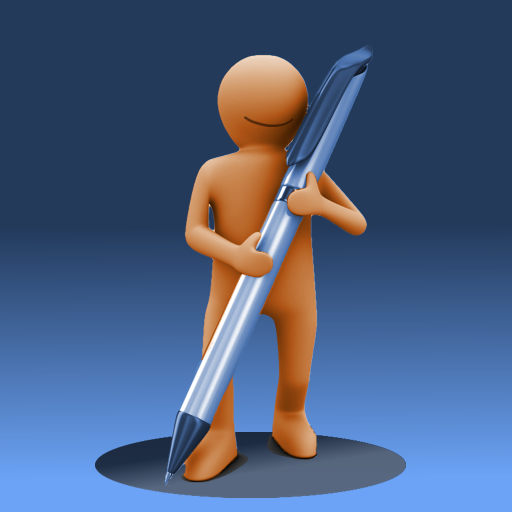
For the person-shaped thing, I wanted to go from the amorphous blob to something a little more defined, and refined. Especially when blown up to larger size, the brown snowman-looking dude wasn't cutting it. Once a family member asked me if I thought it looked like a toilet with the seat up, I knew I needed a change. The new guy looks much better, and certainly won't be mistaken for a toilet. You can clearly see where he's come from, but he's evolved. Look ma! I've got arms and legs!

Keeping with the evolution theme, I decided that the big fat pencil had to go. It has now been replaced with a sleek-looking pen.

Finally, I decided to tie the logo into the new name, by having the guy cast a round shadow. A spot, if you will.

I quite like our new mascot and logo. I think our mascot is also quite pleased with the result. After all, he's smiling.

Wednesday, December 8, 2010

Free ad-supported version of My Writing Spot now available for Android

The hits just keep on coming this week as we celebrate our new name. Today, I'm pleased to announce the availability of a free version of My Writing Spot for Android devices. The app is now available in the Android Market, so go check it out.

Now, there's no such thing as a free lunch, so there is a catch. This version of the app is ad-supported, which means that you will see the occasional advertisement while using the app. If you'd like a completely distraction-free writing environment, the original paid version of the app is still available, and will never contain a single ad.

But hey, different strokes for different folks. Now you Android folks have a choice.

Tomorrow: the great logo showdown!

Tuesday, December 7, 2010

My Writing Spot for iPad gets better with new features

Hi everybody! Welcome back to rename week! In this installment, we'll talk about the new features in the My Writing Spot for iPad application. We looked at the rename as an opportunity to add some of the most-requested features to the app, and included as many as we could given time/resource constraints.

My Writing Spot for iPad continues to be the best app for writing a novel on your iPad. Just look at all these shiny new features:

* Fullscreen landscape mode
* Enhanced on-screen keyboard
* Support for 4.2 multitasking and AirPrint
* Word & Character count

When considering new features, it's always a balancing act. I'd like to be able to satisfy everyone and make the app all things to all people, but the reality is that such an app would be a bloated, jumbled mess of "features" that would confuse and frustrate most people (i.e.: Word). Whenever I get a request for a new feature, I weigh the feature carefully against the set goals of the application - ease of use, speed, distraction-free - and throw out any feature that doesn't further those goals. It's tough, but I think that My Writing Spot is all the better for it.

All of the new features in this release meet the goals of the app. Fullscreen landscape writing mode is something that should have been in the app from the beginning, and I apologize for that oversight on my part. The enhanced on-screen keyboard brings some of the most-used keys to the topmost keyboard, making it even more efficient for writers to boost their word counts. AirPrint support allows writers to easily print their docs directly to a local printer in just a few taps. And adding a character counter to the existing word counter is something that is apparently very useful to reporters and others writing to very specific space requirements. I didn't realize that, but I'm happy to be able to accommodate those users.

I hope that everyone enjoys these latest features in My Writing Spot for iPad. Feel free to drop me a quick email and let me know what you think. Your feedback is always welcome.

Monday, December 6, 2010

My Writing Nook is now My Writing Spot

FOR IMMEDIATE RELEASE
Contact: Peter de Tagyos
Email: mywritingspot@gmail.com


NOOK PROVES TOO UNCOMFORTABLE FOR WRITING APP. ESCHEWS CRANNY AND HITS THE SPOT.
Independent developer changes app's name following bookseller's sabre-rattling.

Independent software developer PT Software Solutions is announcing a name change for their popular writing app My Writing Nook. Henceforth, the app will be named My Writing Spot. This renaming is in response to pressure from an ignoble bookseller pushing a device whose name is a common English word. The updated web app goes live today at http://www.mywritingspot.com, and free updated releases of the mobile apps are available for iPhone/iPod/iPad and Android today in their respective app stores.

"We've chosen to look at this as an opportunity," said developer Peter de Tagyos. "With all the features that we've added to the app in the latest release and over the past year, we've outgrown our little nook. Our current apps really do hit the sweet spot for writers, providing a fast, distraction-free writing environment that is easy to use anywhere. We'll leave the nooks to the little guys."

My Writing Spot also has a shiny new logo (as seen above) to go along with the new name.

For more details about the My Writing Spot name change and a bit of snark, visit http://www.mywritingspot.com/whats-in-a-name

My Writing Spot (formerly known as My Writing Nook) is a popular web and mobile app dedicated to helping writers "write simply anywhere." The free web app can be found at http://www.mywritingspot.com, and there are mobile versions available for iOS and Android devices.

If you'd like more information about this, or to schedule an interview with Peter de Tagyos, please email Peter at mywritingspot@gmail.com

Wednesday, December 1, 2010

Big changes coming to My Writing Nook Dec 6

The madness that is NaNoWriMo has drawn to a close, and I'd like to offer my congratulations to all those that participated. If you managed to hit the 50K word count goal, then extra kudos to you.

Unfortunately, I was not a winner this year. I chugged away happily for about a week, netting about 10K words. Then I had to turn my attention elsewhere. If writing code counted towards the 50K word goal, I might have had a shot at winning. For me, November was mostly about building many new enhancements into the various versions of My Writing Nook.

The fruits of my efforts will see the light of day this coming Monday, December 6. In addition to several new features, there's also one other very significant change that will be announced. So stay tuned, gentle reader.

Saturday, October 30, 2010

NaNoWriMo madness is nearly upon us!

In less than 36 hours, the madness that is NaNoWriMo will be in full swing.

Are you ready? I'm not. I wish I had about another week or so to finish plotting and researching. This year, I've decided to tackle a Historical Fiction novel, so I've had to do more research than in past years. It should be a fun change of pace though.

I'm bummed that the 1st is a Monday, because that means that I will not be able to attend the local kickoff party at midnight. I've got one of those oppressive day jobs that prevents me from writing into the wee hours of the night. It really gets in the way of my noveling, let me tell ya.

I'll also be working on some major updates to My Writing Nook during November, with plans to release them in December. There will be much joy for iPad users, and iPhone users will get some love as well. There might even be something in it for Mac users, hmmm? More information to come in the next few weeks.

So basically, November is going to be total madness. How will I fit it all in? Well, I think I've got that figured out. I'll just forego sleep. That'll work, right?

Friday, October 22, 2010

How JK Rowling plotted her novels

For those of you busy planning, plotting, and preparing for NaNoWriMo, I thought I'd share this interesting glimpse at how JK Rowling did her plotting for the 5th Harry Potter book.

After getting 50K words into my last NaNovel and then having absolutely no idea how to end the thing, I can really appreciate the attention to detail that she put into her outline. Ya gotta love her "retro" spreadsheet - cutting and pasting must have been a pain, though.

Saturday, October 9, 2010

Updated Android app in the Market today

I just published the 1.3.0 release of My Writing Nook for Android devices to the Android Market. This release greatly improves landscape writing mode for devices with on-screen keyboards, and updates the color scheme to match the iOS apps.

I have also added auto-correction to the editor, which should provide a boost to your productivity.

I'm planning several more enhancements in the coming weeks, but I wanted to get these useful improvements to you as soon as possible.

Enjoy!

Saturday, October 2, 2010

A totally rad endorsement from an 80s icon!

I want my AppTV

OK, this is a trip, so I have to share. As someone that grew up in the 80s and can remember the early days of MTV, I was surprised to receive an email today from non other than former vee-jay Adam Curry.

Apparently, Adam has moved from the small screen to the very small screen, and hosts a daily review program for iPhone/iPod touch apps. It's called Adam Curry's Big App Show, and Adam was writing to tell me that today he reviewed My Writing Nook. Whoa. Wha'choo talkin' bout, Willis?

I grabbed the Big App Show app from the App Store (it's free) and, well, there was Adam superimposed on my app.


Adam could have done his homework before reviewing the app, because he gets a few things wrong (the app does NOT sync with Google Docs - it syncs with the web app at http://www.mywritingnook.com) and he can't figure out how to rearrange documents in the doc list (by using document groups), but overall he gives it a pretty good review.

I can't complain too much. I mean, my app just got reviewed by an MTV vee-jay. That's just totally rad, y'know? I feel like such a rock star. I think I'll go destroy a hotel room or something. Hasta la vista, baby.


Friday, October 1, 2010

My Writing Nook Anniversary - plus an iPad update

Today is the one year anniversary of the My Writing Nook iPhone app. The past year has been very satisfying - it's great to see that so many of you are enjoying the app. Thanks for your support and encouragement throughout the last year - you've helped to make My Writing Nook the best novel writing app on the iPhone, iPad, and iPod touch.

I'd also like to announce that the 1.0.7 release of My Writing Nook for iPad is now available in the App Store. This release includes the same delete synchronization and document conflict resolution features that I described in my previous post about the latest release for the iPhone/iPod touch. Enjoy the silky smoothness of the latest release.

Happy writing!

Tuesday, September 28, 2010

iPhone app update - less conflict, no zombies, more stealth

I'm pleased to announce that version 1.8.3 of the iPhone/iPod app hit the App Store this evening. It's chock-full of enhancement goodness, just in time for NaNoWriMo. My Writing Nook continues to be the best novel writing app for the iPhone/iPod touch.

Dark & Stormy night mode just might turn you into a plot ninja
Turn on dark & stormy night mode for the ultimate in stealth writing. This feature has been brought over from the iPad version of the app, and switches the interface to display white text on a black background. The ultimate in distraction-free writing, or just spooky? You be the judge.

There were a few rougher edges that existed in the previous versions of the app, and with the 1.8.3 release, those edges have been polished and made smooth.

Kills zombie documents dead!
The first enhancement is delete synchronization. If you wanted to delete a document in previous versions of the app, you would need to delete it on both the device and the web app. This was awkward, and led to many questions about documents "coming back from the dead."

With delete synchronization, you need only delete a document in one place. There are no more zombies in My Writing Nook. If you want zombies in your app, you'll have to look elsewhere.

Conflict resolved
When you make changes to a document in the app and on the web without synching, you create a document conflict. This means that since both versions of a document are changed, the app doesn't know which one to keep.

Previous versions of the app would simply do nothing, since I believed that this was better than possibly choosing the wrong version to keep. But while this protected your data, it was admittedly a bit clumsy.

With the 1.8.3 release, My Writing Nook will now detect a document conflict and will inform you of the fact by adding an alert icon to the appropriate row in the document list. Tapping on this alert icon will bring you to the conflict resolution screen, which will allow you to view both versions of the conflicted document and decide which one to keep. You no longer need to go to the web app to resolve doc conflicts - you can do everything from your iPhone/iPod touch.

Retinawesome
While this update is all about smoothing out the rougher edges, it's also about sharpening. I've gone through and updated all the graphics for the retina display on the iPhone 4 and latest-generation iPod touches. Now the icons and graphics are really sharp. Handle with care, lest you hurt yourself. You've been warned.

With this update, My Writing Nook becomes even easier to use. They said that it couldn't be done, but when have we ever listened to them?

iPad users - don't fret! A similar update for the iPad version of the app should be hitting the App Store in the next few days.

Enjoy the update, and if you have a moment or two to spare, please leave a review in the App Store.

Tuesday, August 24, 2010

Summer Update

First off, sorry for the lapse in time since my last posting. Such opening sentences are often death knells for blogs, but I want to assure you that isn't the case here. I haven't been resting on my laurels. I've been busy planning and implementing new features for My Writing Nook, and unfortunately this blog has suffered as a result. I plan to get back to a more regular updating schedule once I get this current batch of enhancements out the door. There have been lots of exciting developments in the publishing landscape, and I am looking forward to discussing them in future posts.

So what have I been so busy at work on lately? Well, I've been listening to your helpful feedback and comments, and have been working on improving the rougher edges of the apps, while at the same time building in some of the most-requested features. The future is bright for My Writing Nook, and it will continue to be the best app for writing on the web or on the go with your iPhone, iPad, or Android device.

For both the iPhone and the iPad apps, there are vast improvements in the detection and resolution of document conflicts. You'll soon be able to resolve such conflicts right from within the app. I'm also adding delete synchronization, so previously deleted documents won't keep coming back from the dead. No more zombie docs!

For the iPad app, I'm working on full-screen landscape mode, which should be cause for much rejoicing, since it is one of the top requested features. It's a fairly large change, due to how the frameworks work, but is well worth it.

The Android app will be brought up to similar levels of functionality as its iOS brethren. As a solo developer, it can be tough to keep several apps aligned with respect to feature sets, and the Android app will be getting some necessary TLC.

Don't worry - I haven't forgotten about the web app. You'll soon be able to download all your documents in one fell swoop, instead of one at a time. Easy backups!

I'm also rethinking the organizational features of the app - trying to maintain the ease of use while enhancing the flexibility and functionality. It's a tricky balancing act, and I want to make sure that I get it right.

My current plan is to have new releases out in plenty of time for NaNoWriMo preparation. I'm excited about the coming enhancements, and I hope you will be too.