Tuesday, August 24, 2010

Summer Update

First off, sorry for the lapse in time since my last posting. Such opening sentences are often death knells for blogs, but I want to assure you that isn't the case here. I haven't been resting on my laurels. I've been busy planning and implementing new features for My Writing Nook, and unfortunately this blog has suffered as a result. I plan to get back to a more regular updating schedule once I get this current batch of enhancements out the door. There have been lots of exciting developments in the publishing landscape, and I am looking forward to discussing them in future posts.

So what have I been so busy at work on lately? Well, I've been listening to your helpful feedback and comments, and have been working on improving the rougher edges of the apps, while at the same time building in some of the most-requested features. The future is bright for My Writing Nook, and it will continue to be the best app for writing on the web or on the go with your iPhone, iPad, or Android device.

For both the iPhone and the iPad apps, there are vast improvements in the detection and resolution of document conflicts. You'll soon be able to resolve such conflicts right from within the app. I'm also adding delete synchronization, so previously deleted documents won't keep coming back from the dead. No more zombie docs!

For the iPad app, I'm working on full-screen landscape mode, which should be cause for much rejoicing, since it is one of the top requested features. It's a fairly large change, due to how the frameworks work, but is well worth it.

The Android app will be brought up to similar levels of functionality as its iOS brethren. As a solo developer, it can be tough to keep several apps aligned with respect to feature sets, and the Android app will be getting some necessary TLC.

Don't worry - I haven't forgotten about the web app. You'll soon be able to download all your documents in one fell swoop, instead of one at a time. Easy backups!

I'm also rethinking the organizational features of the app - trying to maintain the ease of use while enhancing the flexibility and functionality. It's a tricky balancing act, and I want to make sure that I get it right.

My current plan is to have new releases out in plenty of time for NaNoWriMo preparation. I'm excited about the coming enhancements, and I hope you will be too.

Saturday, May 29, 2010

New version of My Writing Nook for iPad now available

I'm happy to announce that a new update of My Writing Nook for iPad is now available in the App Store. I'm really excited about this update, since I've added some helpful and fun new features. My Writing Nook continues to be the best app for writing on the iPad.

Always-visible word count - previously the word count was not visible when the on-screen keyboard was showing. Now you can see how prolific you are at any time.

TextExpander touch integration - boost your productivity with TextExpander touch snippets. You'll need to have the TextExpander touch app to take advantage of this feature, but it's well worth your while if your writing lends itself to using repeatable blocks (for example - this would be great for screenplays).

Finally a bit of fun. I've added something called Dark and Stormy Night mode. This changes the color scheme for the app to be black with white text. Get your stealth on and become a plot ninja!

I hope that you enjoy the new features. As always, this is a free upgrade for those that already own My Writing Nook for iPad.

Thursday, May 27, 2010

Attention Indie Authors - Apple wants your books

Apple is now allowing Indie Authors to submit their books (in EPUB format) to the iBooks store. They're offering the same deal to authors as they do to app developers - Apple takes a 30% cut and the author gets the rest. That's a pretty sweet deal.

There are some criteria that need to be met before a book will be accepted (needs to be valid EPUB, you need to have an ISBN, etc), but I think that this is great news for Indie Authors.

Here's a link to start the application process:

Saturday, April 17, 2010

Why I created My Writing Nook

A friend just sent me this picture, which she took outside Grand Central Terminal in New York City. I think it is a perfect example of exactly why I created My Writing Nook.


The unfortunate author's phone number has been photoshopped out. I hope that he or she got their manuscript back.

Don't let this happen to you! Write your novel with My Writing Nook!

Thursday, April 15, 2010

New Release - My Writing Nook iPhone App - Features Galore!

I'm happy to announce that the 1.7.0 release of My Writing Nook for the iPhone is available in the App Store. For those of you who have already purchased the app, it's a free upgrade, and it is jam-packed with new features! My Writing Nook continues to be the best app for writing a novel on an iPhone.

So what's new? Oh, let me count the ways...

1. Password Protection.
There's now an optional password protection feature that can be enabled on the Settings page. Protect your work until you're ready to share it with the world.

2. Change Font/Font size.
You can now select your preferred font and font size for writing on the Settings page.

3. Single tap to change Document Groups.
On the My Documents page, the document group buttons are larger for easier tapping. Also, you no longer need to be in Edit mode to change a document's group. Just tap on the document group button for the desired document and the selection page will appear.

4. Larger dictionary and thesaurus buttons on the Word Lookup page for easier tapping.

5. Link to the MWN help page on the Settings page. If you have run into a problem or have a question, tap this link to jump right to the MWN help.

There's also a link that will allow you to rate the app in the App Store. If you enjoy the app and can spare a few moments, please tap this link and write up a quick review. It's much appreciated!

I hope everyone enjoys these new features.

Sunday, April 11, 2010

Writing on the iPad with My Writing Nook

For the past few years, I've been on a quest. A quest to find the perfect set of writing tools. I've been down many paths during this quest, had several close calls, had my hopes raised up only to have them come crashing down to Earth. At times I've thought that perhaps finding the Holy Grail would be easier.

OK, I'm being a bit melodramatic here, but my point is, I've been looking for the perfect set of writing tools for a long time now. I'm happy to say that I have finally discovered them.

I think that the iPad is the ideal writing device. Especially when paired with an app like My Writing Nook for iPad. I'm not just tooting my own horn here - I am honestly excited about how well the app and the iPad fit into my writing life. I feel like I've finally discovered the perfect set of tools for writing a novel or working on a writing project.

Here's my current novel writing set up:
- an iPad with WiFi and 16GB of memory.
- Apple bluetooth keyboard.
- Apple iPad case.

Right now, I'm writing this post on my iPad. I've got My Writing Nook open, and I'm happily typing away on my bluetooth keyboard. For short notes, the on-screen keyboard is fine, but for serious writing sessions the bluetooth keyboard is invaluable. I've got Apple's iPad case, which allows you to prop up the pad at a slight angle, or stand it up like a picture frame.

So why does the iPad succeed where so many other devices have failed?

It's portable. I can put it in my small messenger bag with plenty of room to spare. The bluetooth keyboard is equally slim and portable.

It's fast. The iPad is instantly on with the press of a button. There's no waiting around for the computer to wake or boot up. The interface is responsive and snappy.

The battery life rocks. This was one of my biggest problems with netbooks. While some of the newer netbooks have much better batteries, the average netbook battery only lasts 3 hours or so. The iPad battery will last the entire day.

It's quiet. There's no fan noise, and the device never gets warm. No lap burns here.

The bluetooth keyboard is awesome. It's full-size, and yet still very light and portable. I have yet to find a netbook keyboard that I liked. I love my Apple bluetooth keyboard.

The software is great. Obviously I'm a little biased, but My Writing Nook for iPad has exceeded even my expectations. Every time I launch the app it makes me smile. The iPad is the device that this software was meant for.

In summary, I'm totally thrilled with my new novel writing toolset - the iPad, a bluetooth keyboard, and My Writing Nook for iPad. It's a writer's (well, at least it's *this* writer's) dream come true. And with that said, I'm going back to writing my novel.

Monday, April 5, 2010

New Feature for iPad - password-protect your writing!


I'd like to announce an update to the My Writing Nook for iPad app. You now have the ability to password-protect the app. With the tight deadlines in the days before the launch I didn't have time to include this feature, and I'm happy that I've since had the time to build it in. Kudos also go to Apple for a lightning-fast approval process.

This feature is optional - you don't have to enable it. However, if you want that extra layer of protection for your writing, My Writing Nook has you covered.


For you iPhone writers out there - the next task on my plate is to add a password-protection feature to the iPhone version of My Writing Nook. Look for that in the next week or two.


Thursday, April 1, 2010

My Writing Nook for iPad

I'm very excited to announce that My Writing Nook for iPad is now available for sale in the iTunes App Store. I've said before that I feel that the iPad will be the perfect device for writing your novel on, and I also believe that My Writing Nook for iPad is the perfect app for writing simply anywhere on your iPad.

Now that the iPad's arrival is imminent, and Apple has removed the veil of secrecy, I can present you with some screenshots from the app. Or you can check out My Writing Nook for iPad in the iTunes App Store.


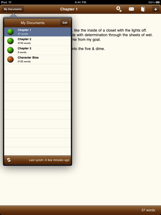
As you can see, My Writing Nook for iPad is a complete rewrite of the iPhone app - taking advantage of the iPad's form-factor and greater processing power. It's lightning-fast, and even easier to use than before. All the common actions are just a tap away, allowing you to maintain your flow while writing. No distractions here.


You can now customize the writing font and font-size, and you'll love the built-in spell-checker.


As always, synching with the My Writing Nook web app is a breeze - just tap the synch button and you'll always have the latest version of your novel.


Coming Soon

Due to the tight deadlines around the iPad release, we weren't able to squeeze in all the features that we wanted, but there will be a new release coming very soon (in the next week or so). This release will contain one of the most-requested features - a way to password-protect the app. So be sure to look for that in the next few days.

Until then, enjoy My Writing Nook for iPad.

Tuesday, March 23, 2010

T-minus 11 days until the iPad

I apologize for the recent radio silence. I've been very busy lately working on My Writing Nook for iPad. I can't share any details yet, other than that I think that the iPad is the perfect device for an app like My Writing Nook.

I have completely reworked the design and workflow for MWN to take advantage of what the iPad offers. At the same time, I've kept the writing environment distraction-free and easy to use. My Writing Nook for iPad is excellent for writing drafts of your novel, jotting down quick notes or ideas, and keeping everything in synch across your various computers and mobile devices.

All the existing features from the iPhone app will be included, and I've also managed to add a few new features that will only be available on the iPad.

April 3rd is almost here! I can't wait.

Saturday, February 20, 2010

Publishing on a shoestring budget

For the longest time, there were only two paths to publication.

The first was the so-called "traditional" route, in which an author spent months or years searching for an agent, who then spent months or years shopping the book around to various publishers, in the hope that one of them would purchase it and publish it after several more months or years.

For those that did not want to wait that long, there was the self-publishing option. However, this option was an expensive one, and the upfront expense was entirely the author's responsibility. Most authors could not afford such an endeavor, and so they put their dreams of publication on hold.

Thankfully, the past few years have brought around a revolution in the publishing industry. The Internet, eBooks, and the rise of print-on-demand publishers have helped to remove the financial barrier to self-publication.

Lack of money is no longer a barrier to publication. To be published nowadays, one merely needs to invest the time.

Here are some tips for publishing on a shoestring budget. These tips assume that you have already done the hardest part of the entire process - you've finished writing your book (perhaps using something like My Writing Nook?) and are ready to share it with the world.

Layout, Formatting & Cover Design

The layout and formatting of your book depends on how you plan to publish it. If you are planning to use a print-on-demand company, you'll need to layout your manuscript in a format suitable for publishing. Thankfully, these companies make the process as easy as possible. For example, Lulu provides a template for designing your cover as well as a Word document template with the margins and spacing already configured. CreateSpace offers their layout guidelines here.

If you don't have Word or another word processing program that allows you to format your document, I'd suggest checking out Google Docs. You can upload your manuscript, format it appropriately, and even export it as a PDF document file.

The saying goes "Don't judge a book by its cover," but the fact of the matter is that most people do. An amateurish cover design may cause people to dismiss your book outright.

If you have an artistic flair, you can design your own cover using a free image editing program such as Paint.NET. If you prefer an online option, check out Pixlr.com.

If art isn't your thing, you can visit sites like 99 designs or crowdSPRING to crowdsource the design of your cover. These sites won't get you a cover design for free, but they allow you to control the entire process, and really provide a great bang for your buck.

Publishing

Publishing a book requires very little upfront money. There are several different options for publishing your book.

You could choose to publish your book via a blog. Many authors have started to publish their novels online as webserials. If you choose to this route, there are several blog platforms to choose from. Blogger is the platform run by Google, is easy to use, and has the best integration with Google's other services, such as AdSense, Analytics, and AdWords. WordPress is another strong option. If you'd like to host your blog on your own site, WP is probably the best way to go.

If you'd like to publish real, physical books, then print-on-demand publishing is the way to go. PoD publishers will store your book in digital form until someone purchases it, at which point they will print a physical copy of the book and send it to the customer. The author can set the price of the book, thus determining how much in royalties they earn per sale. Royalty rates from PoD publishers are much higher than those from traditional publishing companies, with the author earning a greater portion of the proceeds (as it should be!). PoD books can have their own ISBN, and can be listed on sites such as Amazon or B&N.

There are two big players in the PoD space these days. Lulu had been around a bit longer and is very author-friendly, providing downloadable sample templates for cover and book layout. CreateSpace is newer, but is owned by Amazon, arguably the biggest book-related company in the world.

If you're looking to publish eBooks, both Lulu and CreateSpace offer this option. If you're looking to target the Kindle, you can publish your eBook via a catalog like Smashwords, or you could get in the Kindle store by working with Amazon directly.


Once you've gotten your book published, it's time to let your audience know about it. If you don't already have an audience, you need to grow one. That means marketing, which calls to my mind well-dressed, fast-talking, brash young salespeople. People-people. If you're the type of person that thinks "I could never be in sales," I'll help to disabuse you of that notion in my next post.

In my next post, I'll tackle marketing yourself and your book on a shoestring budget. Stay tuned!