Tuesday, March 29, 2011

My Writing Spot for iPad in Incredible iPad Apps book

My dreary Tuesday morning was brightened considerably by an email I received from someone at Wiley publishing. They informed me that My Writing Nook for iPad (now My Writing Spot for iPad) is featured in the recently-published Incredible iPad Apps for Dummies.

It was selected as one of the top 10 iPad apps in the Miscellaneous category. The book is now in stores. I can't wait to go grab a copy.

Sunday, March 6, 2011

New release of My Writing Spot for Android

My Writing Spot is the best writing app out there for Android devices, and with this new release, it's even better! In this new release, we've added the ability to password-protect the app, so that you can keep your writing safe from prying eyes.

What haven't we added? Distractions. My Writing Spot is still distraction-free, allowing you to focus on getting the words out of your head and into your novel.


Oh, what a glorious time we live in! Get out there and write!


Sunday, January 30, 2011

Help My Writing Spot support Girl Scouts


It's Girl Scout cookie time again, and that means that once again My Writing Spot is pitching in to support Girl Scouts and our troops. Operation Thin Mint helps bring a taste of home to US troops deployed all over the world. They also get handmade notes of thanks in addition to the cookies.

Until the end of February, any donations to My Writing Spot will be given to Operation Thin Mint. In addition, I will match your donations dollar for dollar.

Click here to donate.

Thanks for your support.

Friday, December 10, 2010

New logo vs old

I wanted to take a few moments to discuss the new logo. Several people have mentioned that they preferred the old one, so I wanted to explain the thinking behind the new logo.

First, let's just take a look at them side-by-side:


As you can see, there are some things that haven't changed. OK, one thing - the background. The same soothing blue gradient tones. Ahhh. Feel the tension drain from your shoulders as you take in the tranquil blue background.

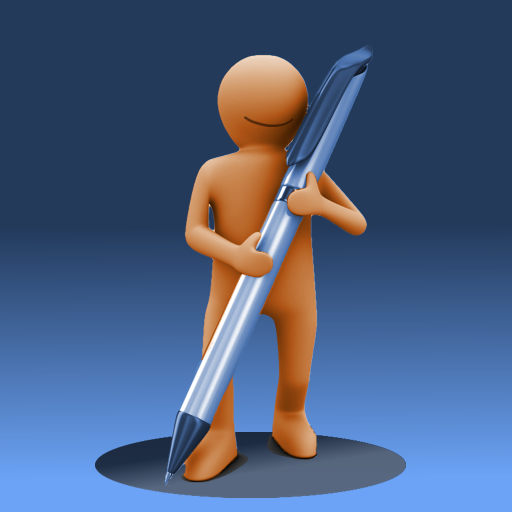
For the person-shaped thing, I wanted to go from the amorphous blob to something a little more defined, and refined. Especially when blown up to larger size, the brown snowman-looking dude wasn't cutting it. Once a family member asked me if I thought it looked like a toilet with the seat up, I knew I needed a change. The new guy looks much better, and certainly won't be mistaken for a toilet. You can clearly see where he's come from, but he's evolved. Look ma! I've got arms and legs!

Keeping with the evolution theme, I decided that the big fat pencil had to go. It has now been replaced with a sleek-looking pen.

Finally, I decided to tie the logo into the new name, by having the guy cast a round shadow. A spot, if you will.

I quite like our new mascot and logo. I think our mascot is also quite pleased with the result. After all, he's smiling.

Wednesday, December 8, 2010

Free ad-supported version of My Writing Spot now available for Android

The hits just keep on coming this week as we celebrate our new name. Today, I'm pleased to announce the availability of a free version of My Writing Spot for Android devices. The app is now available in the Android Market, so go check it out.

Now, there's no such thing as a free lunch, so there is a catch. This version of the app is ad-supported, which means that you will see the occasional advertisement while using the app. If you'd like a completely distraction-free writing environment, the original paid version of the app is still available, and will never contain a single ad.

But hey, different strokes for different folks. Now you Android folks have a choice.

Tomorrow: the great logo showdown!

Tuesday, December 7, 2010

My Writing Spot for iPad gets better with new features

Hi everybody! Welcome back to rename week! In this installment, we'll talk about the new features in the My Writing Spot for iPad application. We looked at the rename as an opportunity to add some of the most-requested features to the app, and included as many as we could given time/resource constraints.

My Writing Spot for iPad continues to be the best app for writing a novel on your iPad. Just look at all these shiny new features:

* Fullscreen landscape mode
* Enhanced on-screen keyboard
* Support for 4.2 multitasking and AirPrint
* Word & Character count

When considering new features, it's always a balancing act. I'd like to be able to satisfy everyone and make the app all things to all people, but the reality is that such an app would be a bloated, jumbled mess of "features" that would confuse and frustrate most people (i.e.: Word). Whenever I get a request for a new feature, I weigh the feature carefully against the set goals of the application - ease of use, speed, distraction-free - and throw out any feature that doesn't further those goals. It's tough, but I think that My Writing Spot is all the better for it.

All of the new features in this release meet the goals of the app. Fullscreen landscape writing mode is something that should have been in the app from the beginning, and I apologize for that oversight on my part. The enhanced on-screen keyboard brings some of the most-used keys to the topmost keyboard, making it even more efficient for writers to boost their word counts. AirPrint support allows writers to easily print their docs directly to a local printer in just a few taps. And adding a character counter to the existing word counter is something that is apparently very useful to reporters and others writing to very specific space requirements. I didn't realize that, but I'm happy to be able to accommodate those users.

I hope that everyone enjoys these latest features in My Writing Spot for iPad. Feel free to drop me a quick email and let me know what you think. Your feedback is always welcome.

Monday, December 6, 2010

My Writing Nook is now My Writing Spot

FOR IMMEDIATE RELEASE
Contact: Peter de Tagyos
Email: mywritingspot@gmail.com


NOOK PROVES TOO UNCOMFORTABLE FOR WRITING APP. ESCHEWS CRANNY AND HITS THE SPOT.
Independent developer changes app's name following bookseller's sabre-rattling.

Independent software developer PT Software Solutions is announcing a name change for their popular writing app My Writing Nook. Henceforth, the app will be named My Writing Spot. This renaming is in response to pressure from an ignoble bookseller pushing a device whose name is a common English word. The updated web app goes live today at http://www.mywritingspot.com, and free updated releases of the mobile apps are available for iPhone/iPod/iPad and Android today in their respective app stores.

"We've chosen to look at this as an opportunity," said developer Peter de Tagyos. "With all the features that we've added to the app in the latest release and over the past year, we've outgrown our little nook. Our current apps really do hit the sweet spot for writers, providing a fast, distraction-free writing environment that is easy to use anywhere. We'll leave the nooks to the little guys."

My Writing Spot also has a shiny new logo (as seen above) to go along with the new name.

For more details about the My Writing Spot name change and a bit of snark, visit http://www.mywritingspot.com/whats-in-a-name

My Writing Spot (formerly known as My Writing Nook) is a popular web and mobile app dedicated to helping writers "write simply anywhere." The free web app can be found at http://www.mywritingspot.com, and there are mobile versions available for iOS and Android devices.

If you'd like more information about this, or to schedule an interview with Peter de Tagyos, please email Peter at mywritingspot@gmail.com

Wednesday, December 1, 2010

Big changes coming to My Writing Nook Dec 6

The madness that is NaNoWriMo has drawn to a close, and I'd like to offer my congratulations to all those that participated. If you managed to hit the 50K word count goal, then extra kudos to you.

Unfortunately, I was not a winner this year. I chugged away happily for about a week, netting about 10K words. Then I had to turn my attention elsewhere. If writing code counted towards the 50K word goal, I might have had a shot at winning. For me, November was mostly about building many new enhancements into the various versions of My Writing Nook.

The fruits of my efforts will see the light of day this coming Monday, December 6. In addition to several new features, there's also one other very significant change that will be announced. So stay tuned, gentle reader.

Saturday, October 30, 2010

NaNoWriMo madness is nearly upon us!

In less than 36 hours, the madness that is NaNoWriMo will be in full swing.

Are you ready? I'm not. I wish I had about another week or so to finish plotting and researching. This year, I've decided to tackle a Historical Fiction novel, so I've had to do more research than in past years. It should be a fun change of pace though.

I'm bummed that the 1st is a Monday, because that means that I will not be able to attend the local kickoff party at midnight. I've got one of those oppressive day jobs that prevents me from writing into the wee hours of the night. It really gets in the way of my noveling, let me tell ya.

I'll also be working on some major updates to My Writing Nook during November, with plans to release them in December. There will be much joy for iPad users, and iPhone users will get some love as well. There might even be something in it for Mac users, hmmm? More information to come in the next few weeks.

So basically, November is going to be total madness. How will I fit it all in? Well, I think I've got that figured out. I'll just forego sleep. That'll work, right?

Friday, October 22, 2010

How JK Rowling plotted her novels

For those of you busy planning, plotting, and preparing for NaNoWriMo, I thought I'd share this interesting glimpse at how JK Rowling did her plotting for the 5th Harry Potter book.

After getting 50K words into my last NaNovel and then having absolutely no idea how to end the thing, I can really appreciate the attention to detail that she put into her outline. Ya gotta love her "retro" spreadsheet - cutting and pasting must have been a pain, though.